
Start with the mint
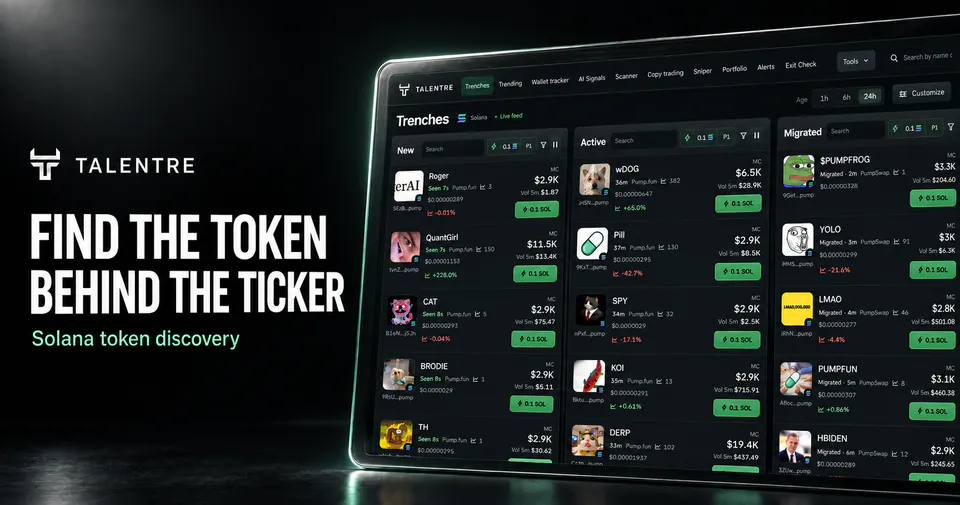
Open the Solana terminal and start with the New column. Its admission requires supported token-creation evidence, not just a recently created pool. Copy the full mint address from the token row and use Search within the relevant lane to find the same token again.
A ticker, image or social name can be reused. Compare the mint across the feed, selected pool and external sources. Solana’s token documentation (opens in a new tab) explains the difference between a token’s mint and an account holding it.
Record the quote asset. A TOKEN/SOL pool and a TOKEN/stablecoin pool can have different depth, activity and prices despite sharing the same base mint.
Separate three clocks
- Launch time
- When the token was launched or created, according to the relevant event source.
- Pool creation time
- When a particular trading pool was created. It may be much later than the token.
- Time in feed
- When a row entered that view. It also reflects discovery, indexing and presentation delays.
Illustrative example: At 12:00 UTC, a pool is two minutes old, but its token launched at 09:00 UTC. This is a new pool for a three-hour-old token. A row appearing at 12:00:10 does not change either age. These timestamps explain the method and do not describe a live launch.
A migration can create a fresh pool for an existing token. Confirm the launchpad or provider event before calling it a migrated pair.
Check the pool and recent activity
- Read liquidityIdentify the selected pool’s reported liquidity. A large valuation does not create an equally large exit.
- Match the intervalRead five-minute activity with five-minute price change, or daily volume with its daily comparison.
- Check trade countsCounts show activity, not unique wallets or net dollars entering the token.
- Check availabilityA missing field means the input is unavailable. Do not interpret it as zero or as an all-clear result.
Use filters to reduce candidates consistently. They select rows; they do not verify a token’s ownership, permissions or future performance.
For a token quoted against Wrapped SOL, compare its returned pools by exact mint. Keep each pool address with its reported liquidity and 24-hour volume before deciding which market to inspect.
Save the token with its market context
| Record | Why it matters |
|---|---|
| Network and full mint | Keeps the identity stable across services |
| Pool address and quote | Keeps the market comparison consistent |
| Observation time and labelled interval | Makes later values comparable |
| Filter and reason for saving | Shows why this candidate entered your shortlist |
| Source and unavailable fields | Distinguishes measured values from gaps |
Keep the mint and observation in your research notes, then refresh the market context when you return. In workspaces that expose a saved watchlist, that list belongs to its browser and terminal site; it does not imply cross-device synchronization.
Find a token missing from the feed
Search by the full mint, check the selected age range and clear restrictive filters. Then check source coverage and freshness. The Solana feed uses supported sources and admission rules; it does not include every launch on the network.
A token can exist on-chain before its price, activity or image is indexed. Missing from the feed does not mean missing from the network.
Find the token behind the ticker