
Choose a network and screening goal
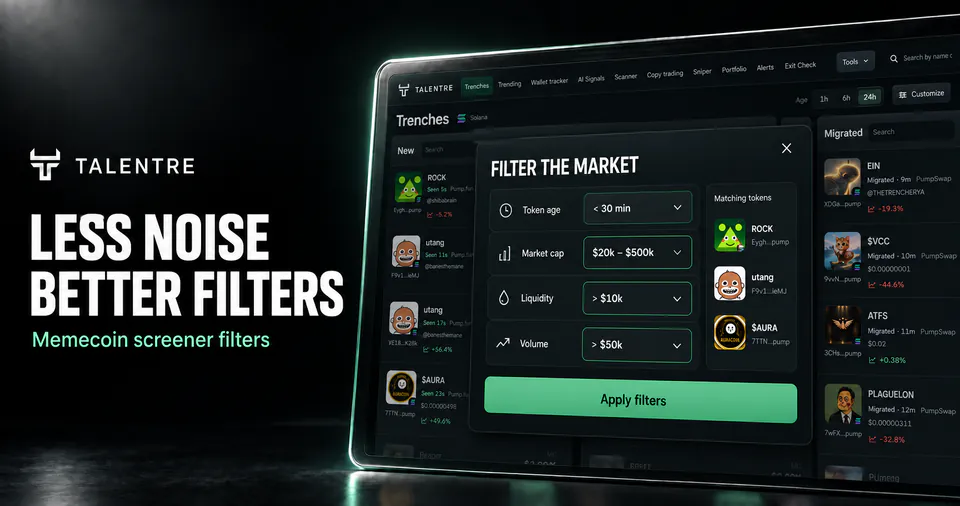
Select the network and view, then decide what to narrow: recent pools, a valuation range, reported liquidity or trading activity. Use the search and filter controls to apply that screen.
Fields differ between networks. The Robinhood adapter does not provide pool liquidity or five-minute price change; an unavailable field cannot establish that a token passes a threshold.
Choose the right filter
| Field | Useful for | Does not establish |
|---|---|---|
| Age | Selecting a defined stage or observation window | Token age when the field actually means pair age |
| Market cap | Comparing a stated valuation range | Available liquidity or verified circulating supply |
| Liquidity | Removing pools below your chosen reported depth | The price at which your entire position could exit |
| Volume | Selecting traded value over the labelled period | Unique participants, net inflow or organic demand |
Read the calculations behind these fields if two services show different figures for the same token.
Work through the exclusions
Illustrative example: The following invented pools demonstrate filter logic. These values are not recommended presets, live opportunities or a trading strategy. Assume a Solana view with all four fields available.
For this exercise, keep pools aged 10-60 minutes, with market cap from $100,000 to $1 million, reported liquidity of at least $25,000 and five-minute volume of at least $5,000.
| Pool | Age / cap | Liquidity / volume 5m | Result |
|---|---|---|---|
| A | 25m / $300,000 | $40,000 / $8,000 | Passes these four conditions |
| B | 4m / $300,000 | $40,000 / $8,000 | Outside the age window |
| C | 25m / $300,000 | $10,000 / $8,000 | Below the liquidity floor |
| D | 25m / $300,000 | Unavailable / $8,000 | Cannot establish the liquidity condition |
Pool A passes a screen, not a token-risk review. Pool D has missing information, not proven zero liquidity. If the view offers 24-hour volume instead, label and set that field separately; the five-minute threshold cannot be transferred unchanged.
Change one condition at a time
- Start with identity and ageConfirm the network, pool and time basis before adding valuation or activity limits.
- Add one metricObserve which rows disappear and why. Check the units, interval and inclusive boundary.
- Save the reasonNote the screen that admitted a candidate. A watchlist entry can outlive the condition that produced it.
- Recheck laterCompare the same fields again. A token leaving the screen means a condition changed; it does not explain the cause by itself.
Fix an empty result
Clear the narrowest condition first. Check the age window, minimum and maximum fields, units and network coverage. An unavailable metric and a value below your threshold are different causes.
Check the source timestamp. If it has not refreshed, wait for a current observation. Adjust one filter at a time so you can see which condition excluded the tokens.
Review data coverage or return to the search and filter controls.
Find your next research target